
Basic photo organizing software free trial
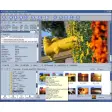
Photo Manager is a picture manager developed by Proxima Software that lets you organize image files with detailed practices like tagging. A search tool lets you efficiently find your tagged photographs. Photo Manager delivers tools to let you conveniently edit your photos. While Photo Manager is robust, the application comes at a price. But you can try it for free for 30 days.
MAGIX Photo Manager Deluxe and Movavi Photo Manager are alternatives to Photo Manager by Proxima that are used to organize your photo library. You can use Adobe Photoshop Lightroom and Adobe Bridge in case editing your images is more important than organizing. All the apps let you try the programs before you buy.
What is the best free photo organizer?
Photo management software has received seemingly universal upgrades to the platforms. The photo managers often go beyond simple organization with tabs and tags. The upgraded programs come with price points. A benefit to Photo Manager is that you get a 30-day free trial to try before you pay.
What is the best photo tagging software?
Photo Manager by Proxima delivers an in-depth tagging system that lets you customize your photo collection. Your customizations are available in the ‘Tags’ view. Since cameras have become digital, people often have many unorganized pictures on their PC at any given time. Photo Manager is an easy-to-use solution to organize images.
Photo Manager gives you niche organization options like captions and ratings, along with fundamental markers like categories and keywords. You can create overarching labels that categorize your images with categories. Keywords are additional tags that let you personalize your library further and you can write longer content in captions.
The rating system lets you rate your pictures into ranks. You can make captions, categories, keywords, and ratings as general or specific as you want within the given word count ranges. A search view lets you easily look for specific images with tags. You can type your tagged words into the search bar to find your pics.
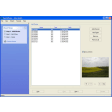
Photo Manager lets you search for photos on CDs, DVDs, local disks, and hard drives in addition to the direct database. The pictures will appear as thumbnails until you choose one to preview. You can preview images in full screen and slideshow modes. Photo Manager lets you locate duplicates to get rid of in your lists.
What is the best photo manager for Windows?
Photo Manager by Proxima Software is available for Microsoft Windows PC operating systems. You can get the 32-bit or 64-bit Photo Manager download for Windows 7, 8, 8.1, 10, and more. While Mac systems feature a built-in photo editor in the ‘Photos’ application, PCs do not give users a native photo editing experience.
Photo Manager includes standard editing features like brightness, contrast, exposure, hue, saturation, sharpness, and more. You can manually adjust the key features. Autocorrect modes are available for Auto Color, Auto Contrast, and Auto Level. More advanced adjustments include color correction, edge detection, noise removal, white balance, and even Fourier Transform. You can use filters to transform the look of your pictures.
Edited pictures can be saved in a variety of common file formats like JPG. You can view, develop, and save RAW files with a variety of plug-ins. Photo Manager gives you a detailed look into the information of each image to see the available EXIF properties and camera maker notes.
A print tool lets you customize your printing preferences. You can create the ideal pages to print, whether you want a single picture or multiple pics on a page. The printer preferences also let you add footers and headers to your pages before you print.
Photo Manager is optimized for website developers to organize photos since you can create HTML albums of images that you want to share on the internet. Photo Manager lets you import images from scanners to edit photos. You can play video files like AVI and watch animated GIFs.
All-in-one photo management suite
Photo Manager is a management tool that lets you organize your photos on your PC. You can perform basic actions like copy, delete, and sort pictures. Photo Manager offers batch work to let you convert, crop, rename, resize and rotate multiple pics simultaneously. With the 30-day free trial, download the photo management app to test it to see if it's to your liking.
What’s new?
Photo Manager does not have the most consistent update pattern. However, the software updates that do happen are substantial. You can find a list of the software notes on the website.



























User reviews about Photo Manager
Have you tried Photo Manager? Be the first to leave your opinion!